Community ·
Lord of Mysteries' Companion Dance Task Has an Easier Route Than Its Menu Suggests
A September 2 player guide shows how built-in actions can replace a video upload in Dance Together, with Chinese controls for inviting companions and starting a performance.
One Lord of Mysteries player was leaving companion affection on the table because a daily task looked like video-editing homework. In a September 2 TapTap guide, 诡秘大嘴巴 says they had been skipping 共舞 (Dance Together), assuming it required an uploaded clip. Their reported solution is much less work: select a built-in action, start the performance and let the countdown finish.
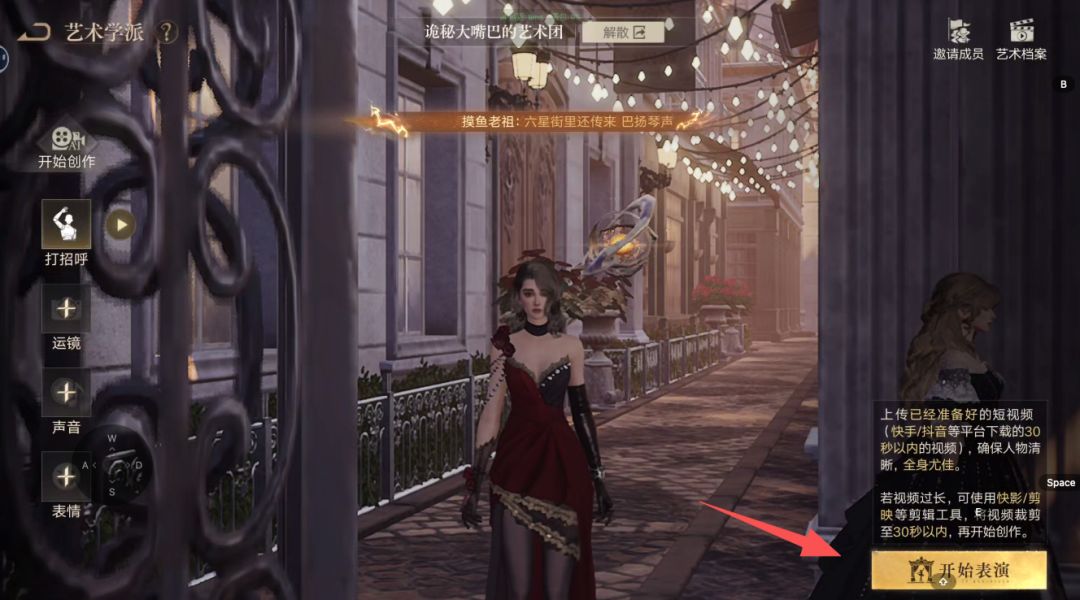
The screenshots explain the mistake. Next to 开始表演 (Start Performance), the game displays instructions for uploading a short video. The text mentions clips from Kuaishou or Douyin, a limit of 30 seconds, and a preference for a clear, full-body view. It even suggests trimming longer clips with editing software. That is a lot of preparation to put in front of someone who came here to spend time with Audrey Hall.
But the same interface has an action picker. The guide shows it open, with familiar gestures such as a greeting, a bow and applause. The writer says these actions can complete the dance interaction without an upload.
The action menu does the work
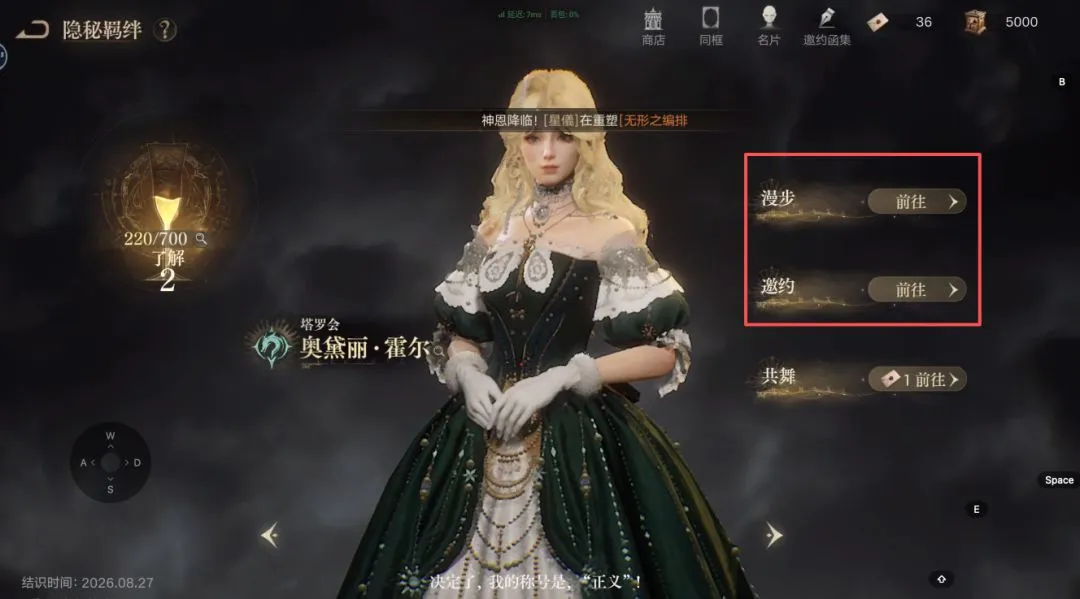
The companion screen lists 漫步 (Walk), 邀约 (Invitation) and 共舞 (Dance Together). The writer says they had only been doing the first two. Their screenshot shows Audrey’s affection progress at 220/700, with the dance option below the other activities.
Inside the performance screen, the illustrated route is 动作 (Actions), then 个人 (Individual). The screenshot’s red arrows point to both controls. The available choices include 打招呼 (Greet), which appears as the selected action in the next image.
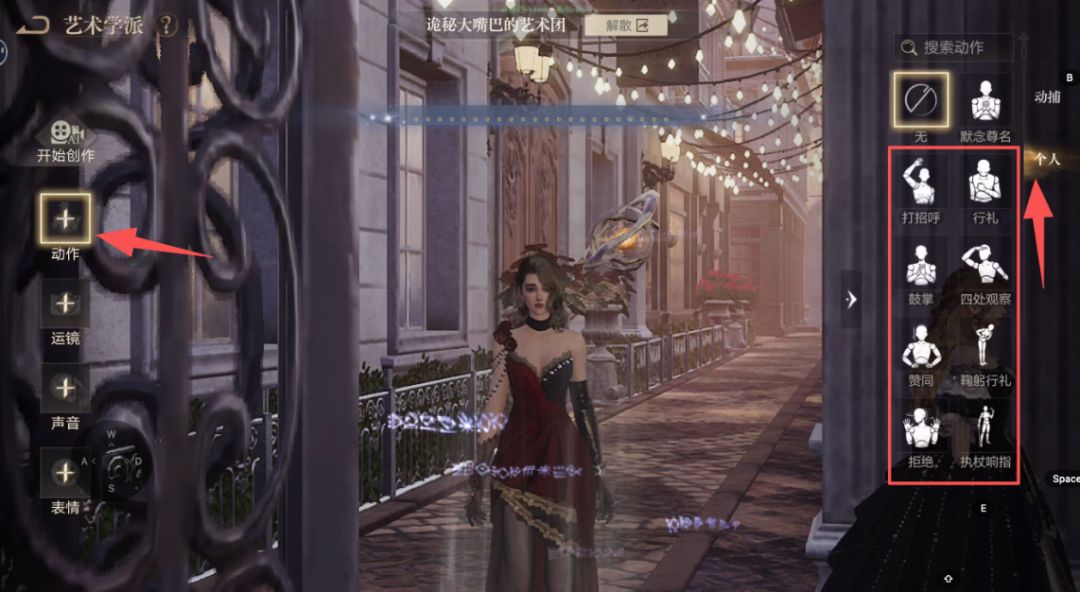
The writer’s method is to choose an action, press 开始表演 (Start Performance), wait for the countdown to end and return. They report that this raises companion affection. The post does not give a measured reward per performance, so there is no firm number to attach to the shortcut.
The upload instructions remain visible even after the writer selects Greet. The menu offers a simple gesture and detailed video preparation advice on the same screen, without making their relationship clear.
Invite companions from the same screen
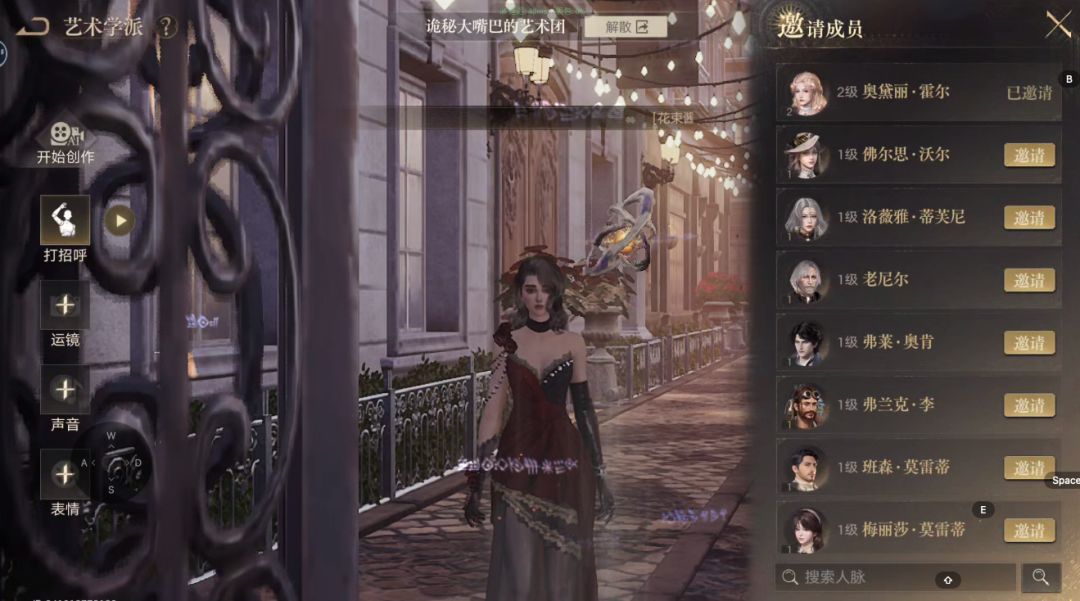
The guide also points to 邀请成员 (Invite Members) in the upper-right corner. Its final screenshot shows a companion list with Audrey marked 已邀请 (Already Invited), while Fors Wall and other characters have 邀请 (Invite) buttons. The writer recommends using this list to build affection with several companions in one visit.
That is a player-reported method for the China client. The screenshots establish where the controls are, but do not show a before-and-after reward total for each invited character. Check the affection display after the performance before making it part of a daily routine.
| Chinese control | English meaning |
|---|---|
| 共舞 | Dance Together |
| 动作 | Actions |
| 个人 | Individual |
| 打招呼 | Greet |
| 开始表演 | Start Performance |
| 邀请成员 | Invite Members |
| 邀请 | Invite |
| 已邀请 | Already Invited |
These are working translations for the Chinese interface. For other launch systems, see our China launch guide.